Connect the USB-C cable to your laptop.
Press the home button on the remote 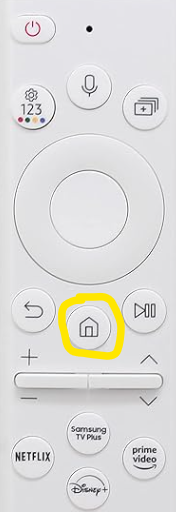
Press the left button on the remote
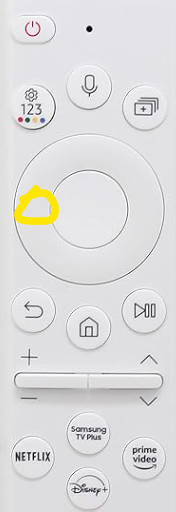
Scroll down to connected devices
Press the right button on the remote to HDMI 1 & press the center button.
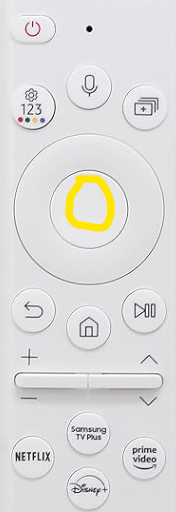
You are now connected.
After use
Unplug the USB-C cable
Press the red power button once.
Was this article helpful?
That’s Great!
Thank you for your feedback
Sorry! We couldn't be helpful
Thank you for your feedback
Feedback sent
We appreciate your effort and will try to fix the article