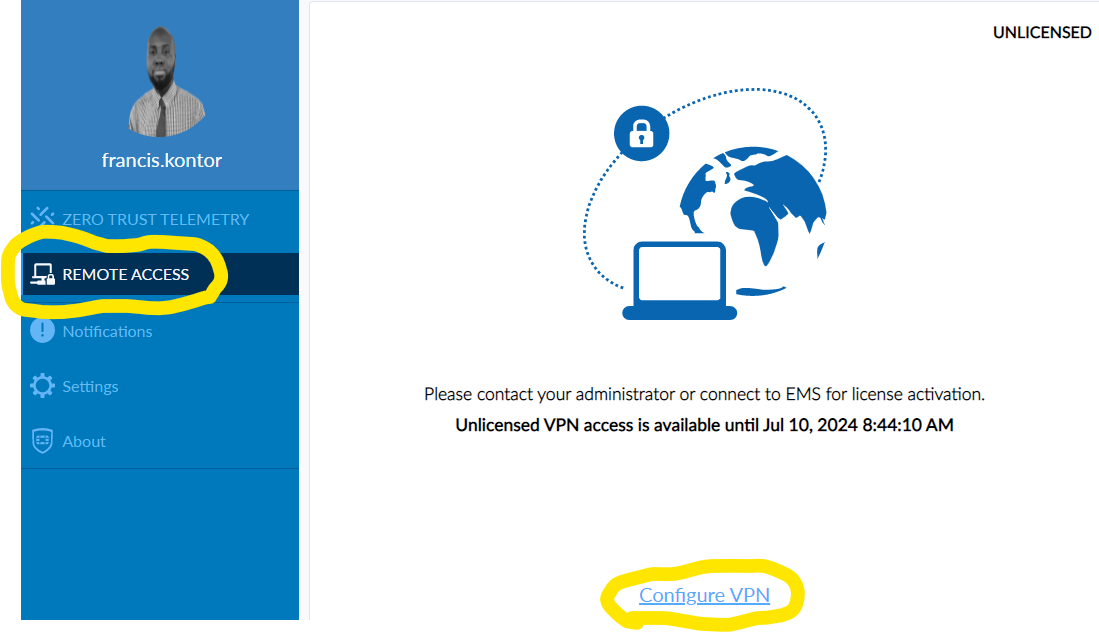
Launch the FortiClient software from your desktop.
Select Remote Access from the menu on the left & Click Configure VPN
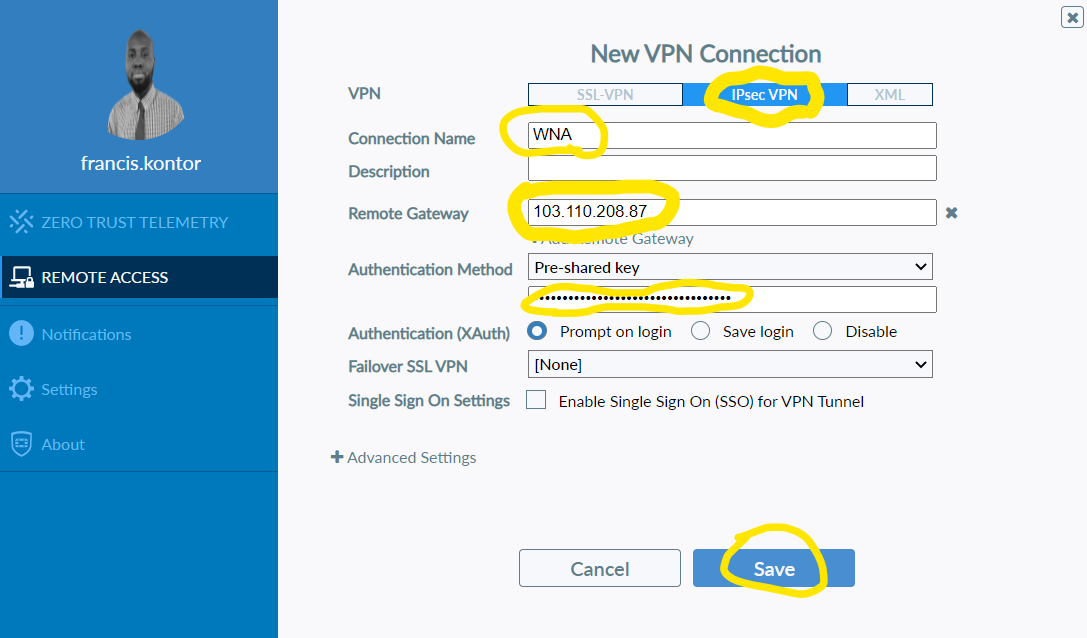
Under the heading New VPN Connection select IPsec VPN
Connection Name: WNA
Remote Gateway: 109.224.249.108
Authentication Method is defaulted to Pre-shared key (Do Not Change This) in the empty box below paste the following key: goKHOY£GRF**reeKTddsMHRgR2452^7TGe
Click Save
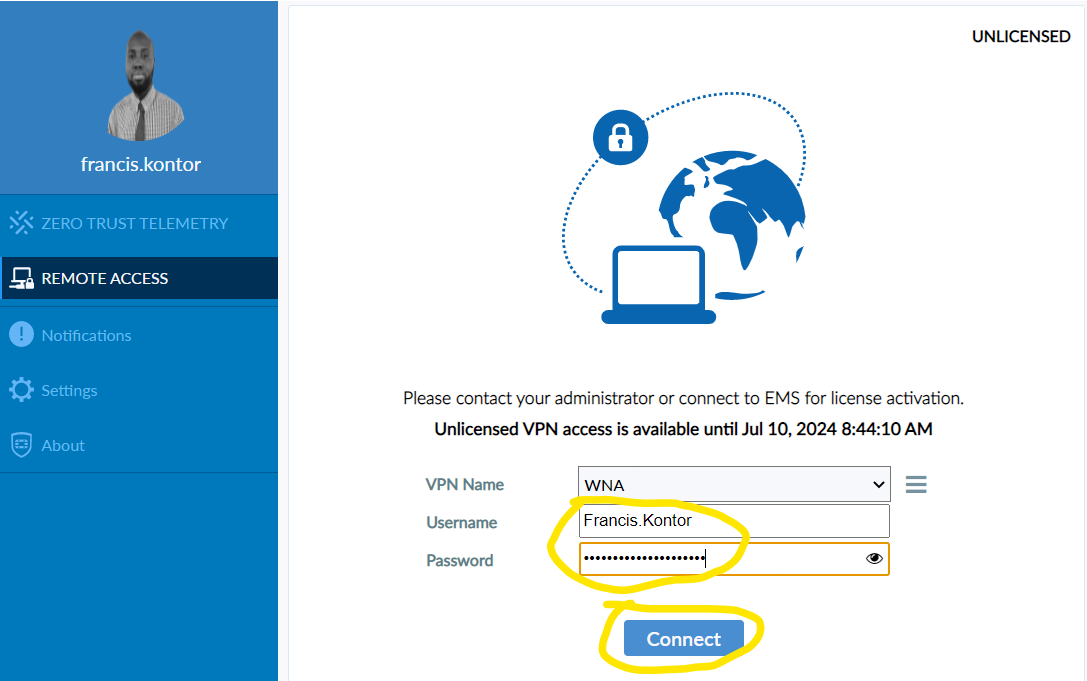
 Enter your Username: Firstname.Lastname
Enter your Password: This has been emailed you.
Click Connect
 Once connected you will se the below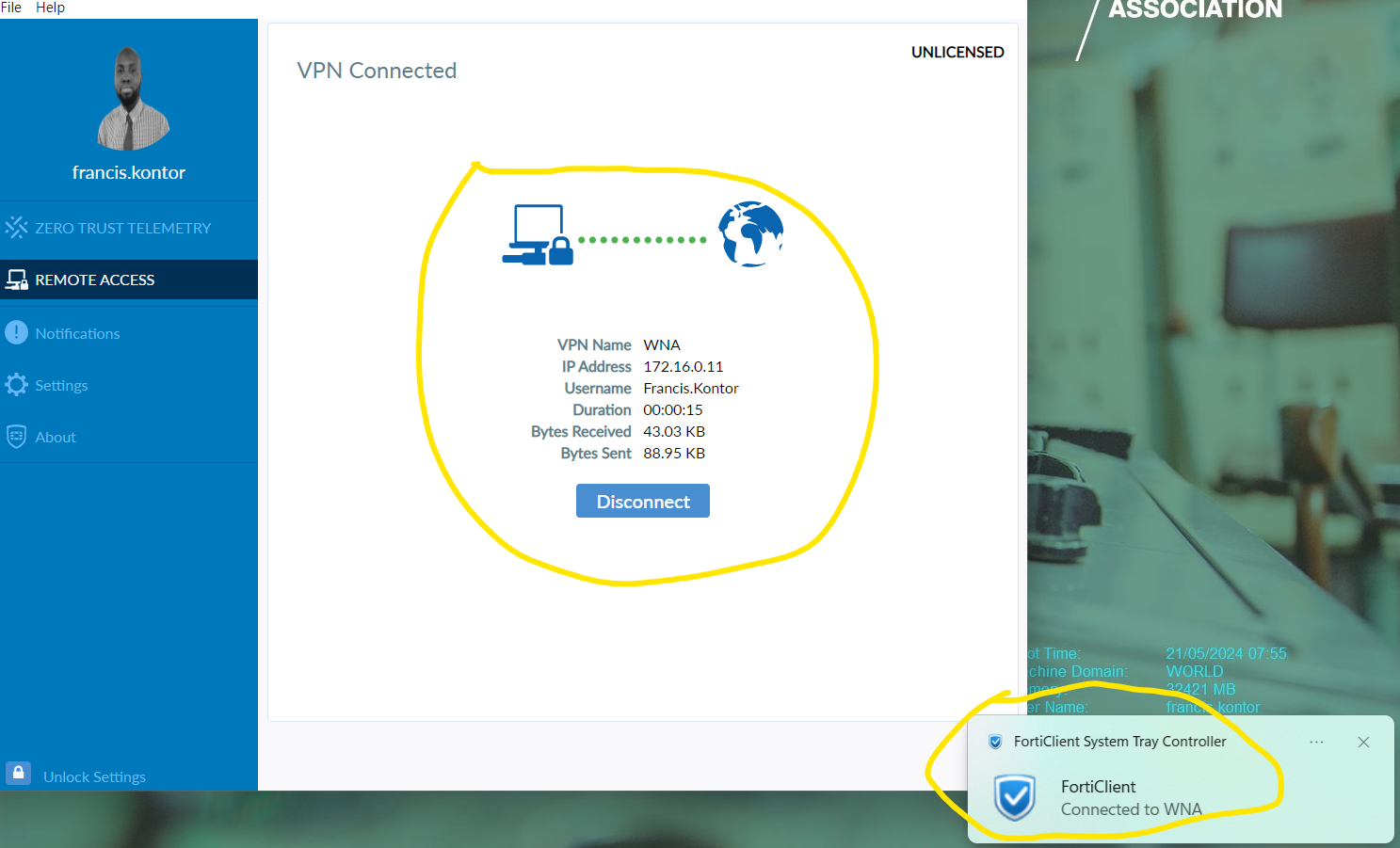
You will now have access to resources only accessible via the VPN.
To disconnect from the VPN select Disconnect.
The next time you connect to the vpn you will have the option to Save Password. Select this option so you do not have to copy and paste.
Video
Was this article helpful?
That’s Great!
Thank you for your feedback
Sorry! We couldn't be helpful
Thank you for your feedback
Feedback sent
We appreciate your effort and will try to fix the article