Open the FortiClient App
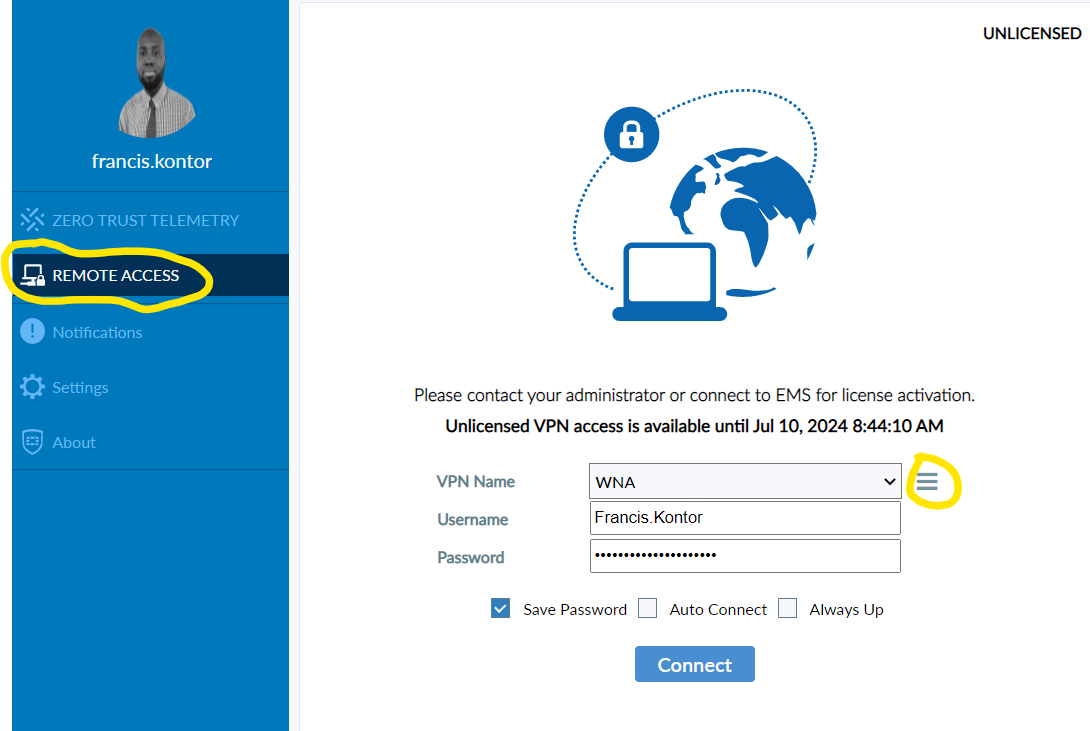
Select Remote Access from the left side menu
Select the 3 dashes on the right of VPN Name
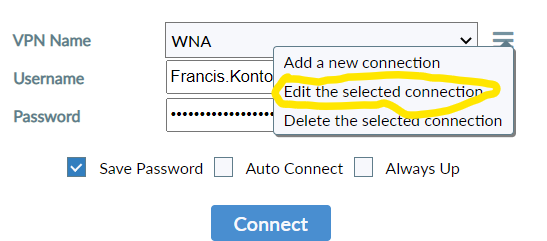
Select edit the selected connection
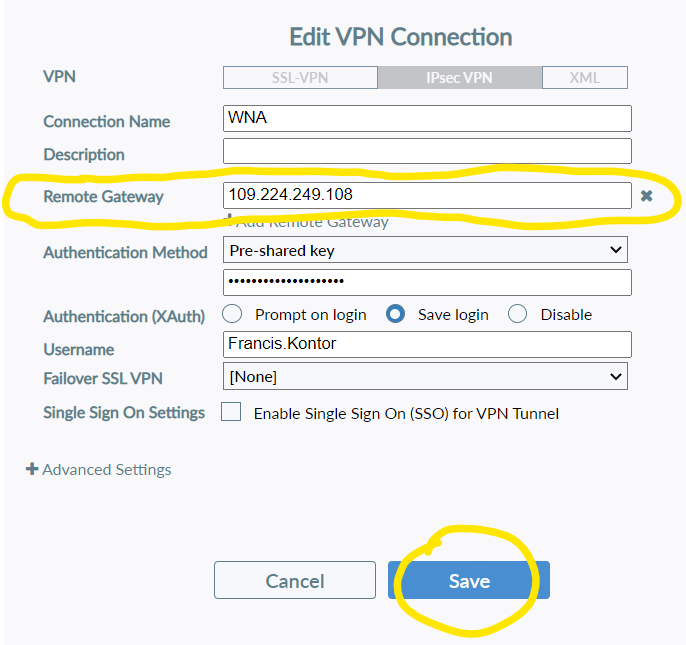
Change the remote Gateway to 109.224.249.108 and select Save.
You will now be able to connect to the VPN.
Was this article helpful?
That’s Great!
Thank you for your feedback
Sorry! We couldn't be helpful
Thank you for your feedback
Feedback sent
We appreciate your effort and will try to fix the article