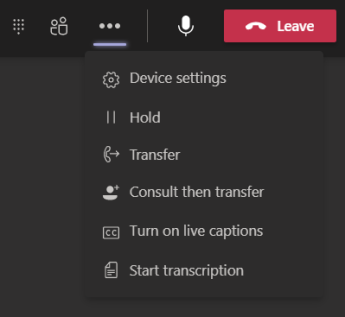
Select More actions  in your call window and choose Hold. Everyone in the call will be notified that they've been put on hold, and you can continue your call by clicking Resume.
Was this article helpful?
That’s Great!
Thank you for your feedback
Sorry! We couldn't be helpful
Thank you for your feedback
Feedback sent
We appreciate your effort and will try to fix the article