Your voicemail is another familiar tool for getting the most out of your calling experience in Teams.
Go to Calls  > History and then select Voicemail in the upper-right. From here you can:
Review messages and transcripts from calls
Customize call rules
Record a greeting
Call anyone who's left you a message
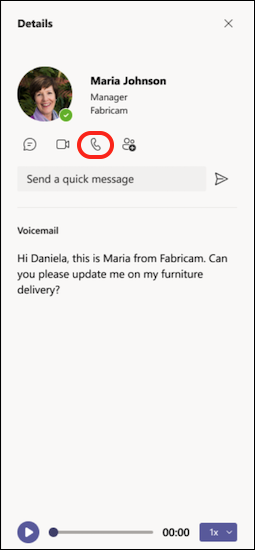
Call someone back from your voicemail by selecting More actions  next to their name > Call back
  from the call history list, or by clicking Calls
  under the contact Details on the right side of Teams.
Was this article helpful?
That’s Great!
Thank you for your feedback
Sorry! We couldn't be helpful
Thank you for your feedback
Feedback sent
We appreciate your effort and will try to fix the article